



Draft all eight sections at once
Create the greeting, company, role, benefits, interview, FAQ, and the remaining core sections in one flow.
Trusted by recruiters at





Generate a structured eight-section first draft, then customise the role, company, benefits, and hiring process content.
Add a name token and share a personalised link to greet a known candidate by name.
Start from your workspace's saved setup or duplicate an existing pack, then tailor the content to the next role.
Collect an Interested or Decline response, or redirect candidates to your ATS application or scheduling URL.
Export a pack to PDF for offline sharing and archives when PDF export is included in your plan.
Enter the role, company, and an optional job description. Role.so drafts eight key sections for you to review, personalise, and publish.
Nothing goes live until you have reviewed and edited the draft.
Create the greeting, company, role, benefits, interview, FAQ, and the remaining core sections in one flow.
Choose a professional, casual, or friendly tone, then decide how much detail you want.
Ask for a shorter, clearer, or more specific version without rewriting the whole page.
For an executive-search approach, introduce the remit, company and interview stages before asking for a call. For a specialist agency, duplicate a page and tailor it to the client's role. Add a name token and send a personalised link to address a known candidate directly, without duplicating the page just to change the greeting.
James
Talent Lead
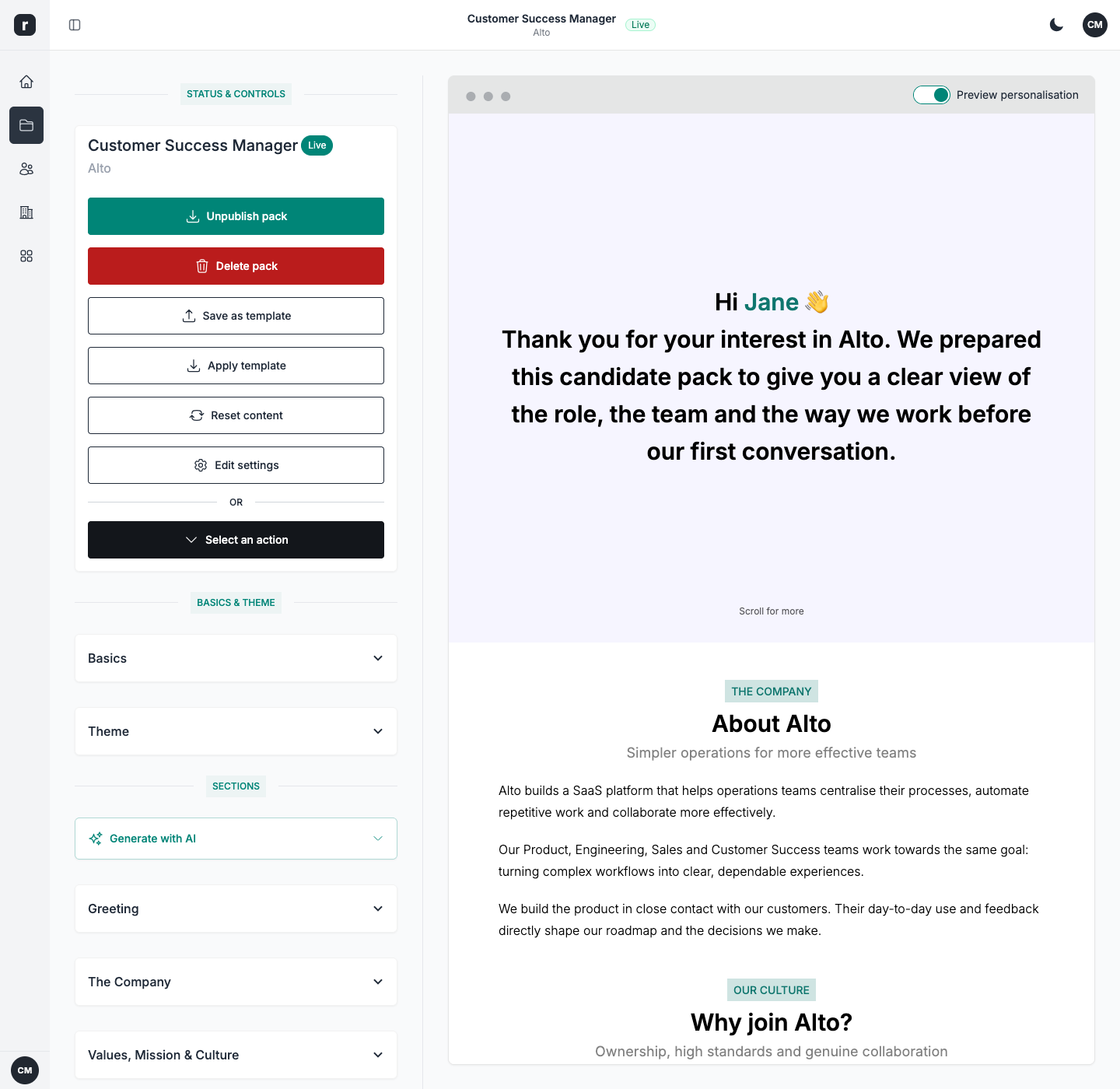
A recruitment landing page brings the role, working conditions, company story and hiring process together in one place. Edit your sections with a live preview, publish the page and give readers a clear next step. Use page visits, section views, scroll depth and Interested or Decline responses to review what deserves a follow-up. These are engagement signals, not a guarantee of candidate quality or hires.
Hannah
Talent Partner
 James, Talent Lead
 Hannah, Talent Partner
 Ammy, Talent Acquisition Specialist
Continue with a practical guide, then choose the candidate-facing tools that fit your workflow.
Create a candidate information pack with a copyable template, a worked example and a checklist covering the role, salary, team and hiring process.
Learn how to improve candidate experience with a five-part framework for clearer roles, fairer processes, faster feedback and easier applications.
Explore six candidate pack examples with realistic copy, structures, and use cases for executive search, agencies, sourcing, inbound hiring, and confidential recruitment.
A recruitment landing page is a dedicated web page that presents a role and gives a candidate a clear next step. It can add company context, benefits, interview stages and answers to common questions alongside the job description. Role.so calls these pages candidate packs. A pack focuses on one opportunity; a careers page brings multiple opportunities together.
You can start with sample content, a blank page or a saved workspace setup, and duplicate an existing pack for another role. There is no industry-specific template gallery: you adapt the structured sections to your own opportunity. You do not need to write code to edit or publish the page.
Yes. Use a personalised link and a name token to address a known candidate; Role.so does not discover the name of an anonymous visitor. Role and company tokens refer to the opportunity you are presenting. You can apply a theme, with custom colours, domains and white-label options subject to your plan or add-ons.
Yes. Keep your ATS for the recruitment process and use Role.so to present the opportunity before the application. Collect Interested or Decline responses in Role.so, show a form before redirecting, or send candidates directly to your ATS application URL. A redirect is a link, not an automatic ATS data sync. Page analytics help you review engagement and responses.
Role.so can generate starter content for eight key sections from a role title, company, and optional job description. You can choose the tone and length, refine individual sections with feedback, and review or edit everything before publishing. AI drafts the content; you verify the role details and decide when to publish.